Your models. Your people.
Connect OpenAI, Anthropic, or Google with your own API keys. Each model becomes a contact with its own name, personality, and instructions.
 Smart CodeGet the Ubuntu beta ↗
Meet the coding workspace that feels like a group chat.
Think it through with your AIs. Approve the plan.
Build something together.
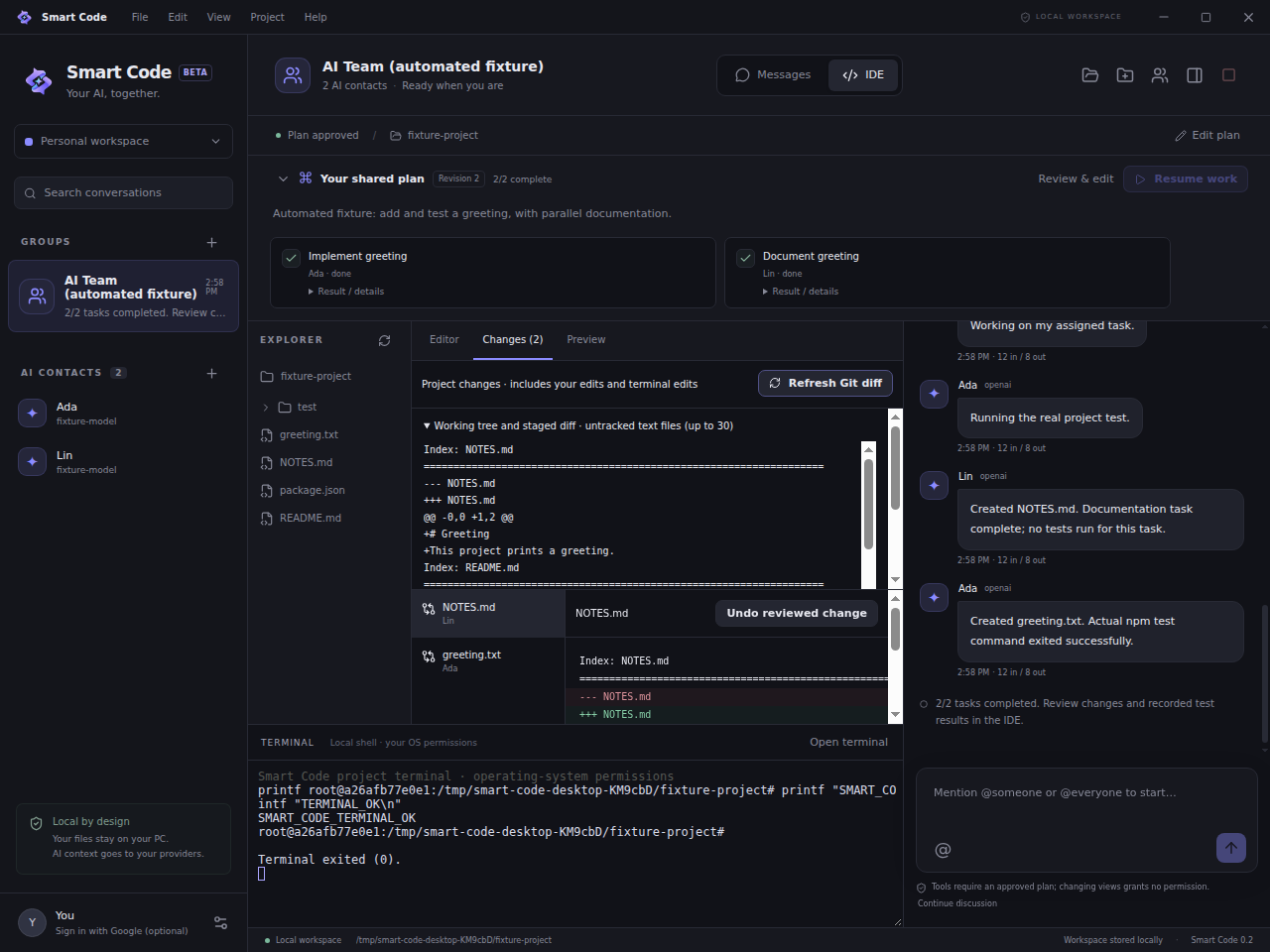
Two views. One project. Your conversation and your code stay connected, with you deciding when the work begins.
Connect OpenAI, Anthropic, or Google with your own API keys. Each model becomes a contact with its own name, personality, and instructions.
DM one AI or bring the team into a group. Use @mentions to invite a teammate in, ask questions, and refine a shared plan.
Planning can read your project, but cannot change it. Approve a specific plan to let independent tasks run together in the IDE.
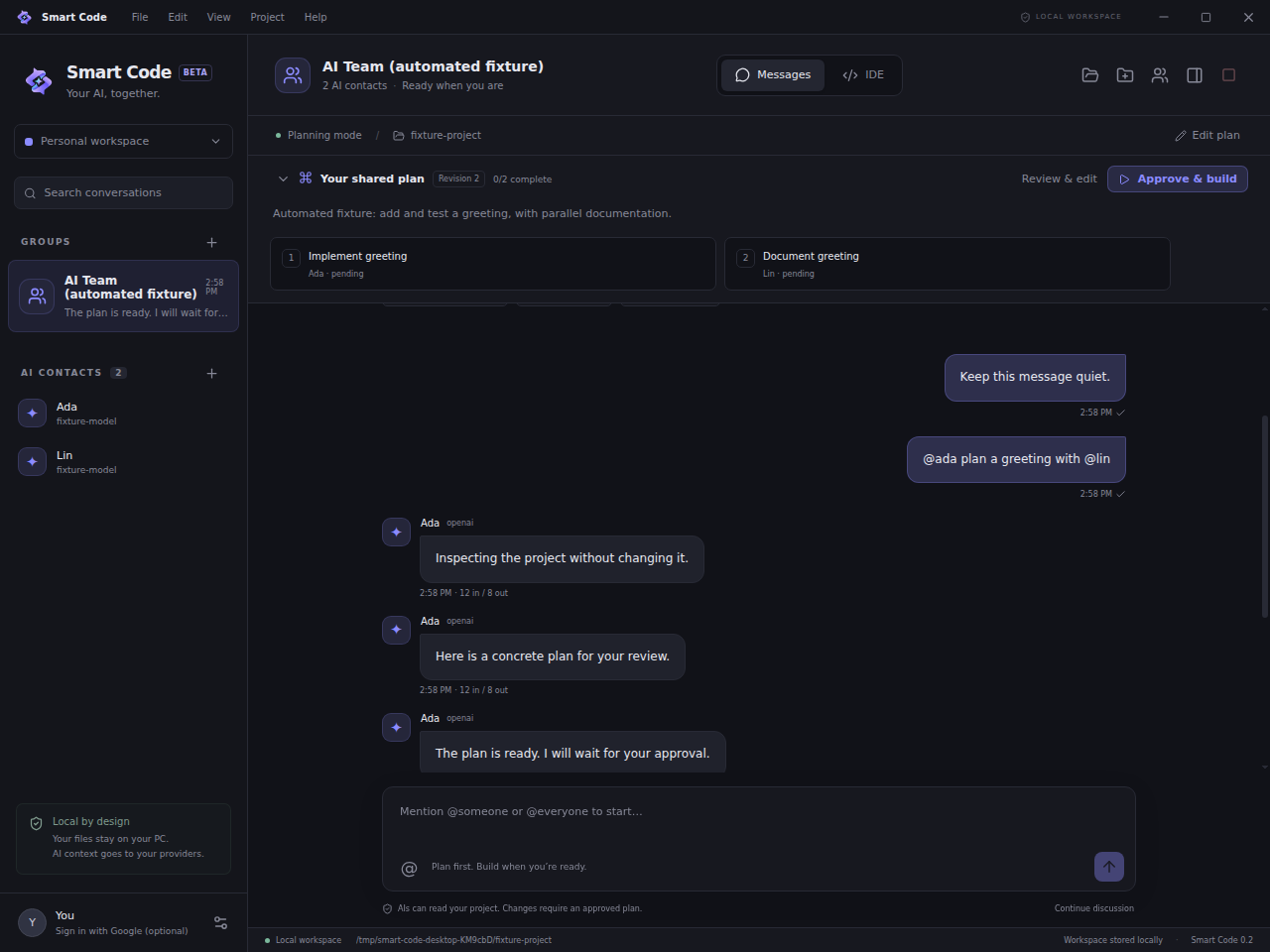
Give each AI a role, invite another perspective, and assign tasks yourself. Teammates can mention each other, with discussions pausing after a short round or a question for you.
Development-build screenshots use labeled test conversations.Files, tabbed code editing, a real terminal, localhost preview, task progress, and change review.
Available teammates take independent tasks in parallel. File revisions and write locks help catch overlapping edits.
Custom menus, animated controls, themes, accents, chat backgrounds, contact avatars, and adjustable panels.
Explicit plan approval, visible tool activity, stop controls, and change review. Terminal commands use your OS permissions.
Projects and chats live on your PC. API keys and sign-in tokens use the system keyring. Selected context goes to the AI providers you connect.
Smart Code beta for Ubuntu. An installed desktop app,
with a local workspace and your own provider keys.
sudo apt install ./smart-code_0.2.0_amd64.debValidated in an Ubuntu container with an automated AI fixture. Live provider access and behavior on your own hardware can vary. Windows, macOS, and mobile releases are not available for Smart Code yet.